
TL;DR

Get furniture and decor delivered free with Prime
- Fast, free delivery on millions of items
- Prime Video, Amazon Music and more included
- Member-only deals all year
Building an AI workstation used to always be cheaper, but now prebuilt systems often match or beat DIY on price and reliability. The decision depends on your need for speed, control, and future upgrades.
Imagine needing an AI workstation that’s ready to go now — no fuss, no waiting. Or maybe you want full control over every component, tuning it for maximum performance and silence. The choice between building your own or buying prebuilt has never been more nuanced, especially as hardware prices shift and supply chains tighten. You might want to consider Build vs Buy a Prebuilt AI Workstation to help decide.
In this article, you’ll learn how the landscape has changed in 2026, what factors matter most for your workflow, and how to decide whether to craft your perfect machine or trust a vendor to do it for you. Spoiler: it’s no longer just about saving money — it’s about speed, support, and future-proofing.
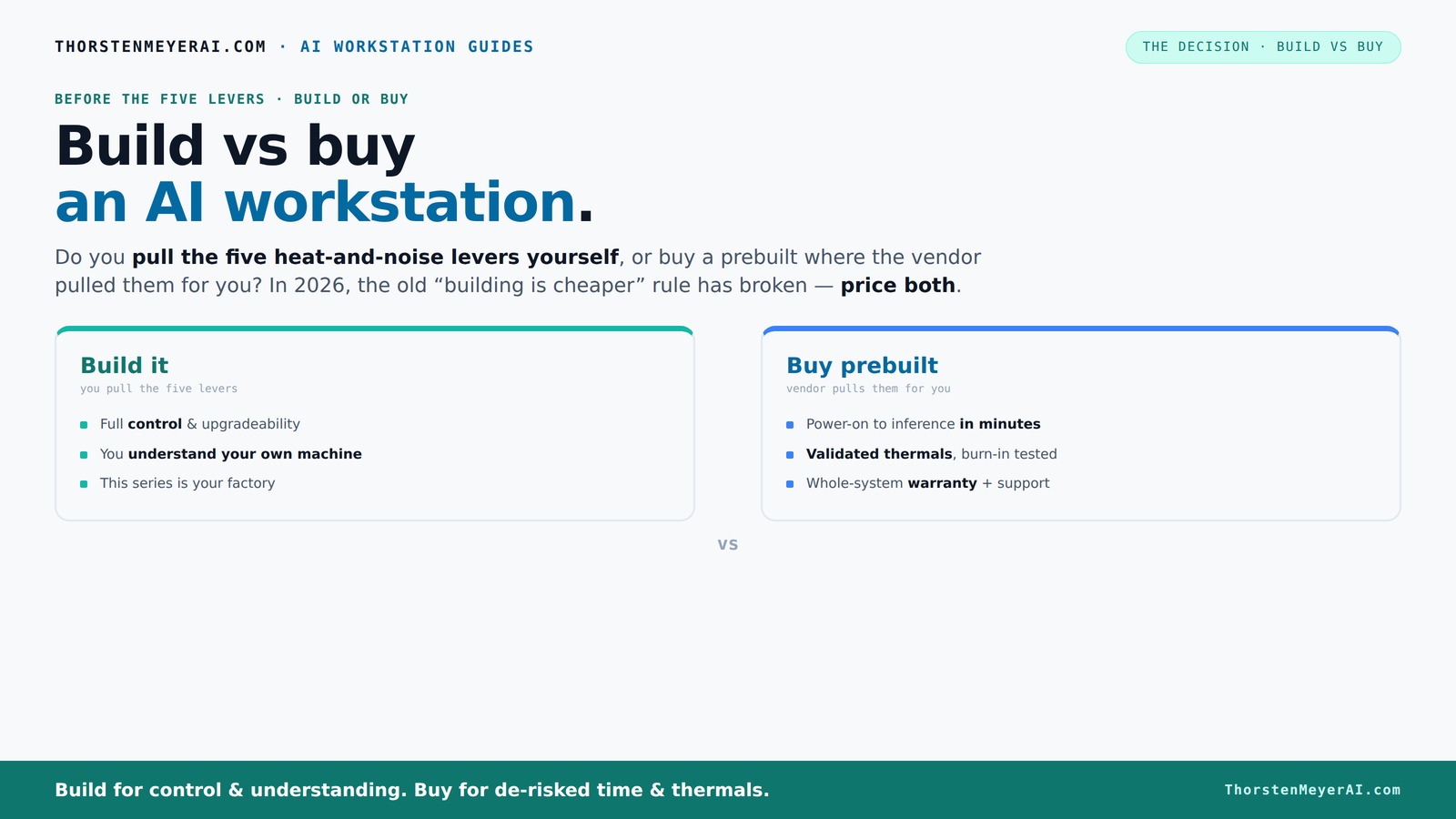
Build vs buy
an AI workstation.
The real question behind this whole series: do you pull the five heat-and-noise levers yourself, or buy a prebuilt where the vendor pulled them for you? And in 2026, the old “building is cheaper” rule has broken. Match your situation in Part 3.
Key Takeaways
- Market shifts in 2026 make prebuilt AI workstations often as affordable as DIY builds, especially for high-end configs.
- Prebuilt systems save time, offer validated thermals, and include warranty support — ideal for urgent or critical workflows.
- Building your own machine grants maximum control, customization, and learning, plus easier future upgrades.
- Choosing between build and buy depends on your need for speed, control, future expansion, and budget.
- Always compare current prices for your specific specs — don’t rely on old assumptions about DIY savings.
As an affiliate, we earn on qualifying purchases.
Why the old rule 'Build is Cheaper' no longer applies in 2026
Building your own AI workstation was once the clear cost winner. But recent market shifts have flipped that script. Component shortages and a surge in demand for GPUs, DDR5 RAM, and SSDs have driven prices sky-high. If you're curious about how to optimize your setup, check out Build vs Buy a Prebuilt AI Workstation. A DIY build that used to cost $1,000 now often hits $1,250 or more, with limited availability.
Meanwhile, major prebuilt vendors like Lambda or Puget Systems bought components early and in bulk, locking in lower prices. Their systems now often match or beat DIY costs for high-end configurations. This shift means that the traditional advantage of DIY — lower cost — is diminishing, forcing buyers to consider other factors such as speed of deployment, warranty, and guaranteed thermal performance. The tradeoff is no longer just about raw price but also about risk, reliability, and time-to-operate. You need to evaluate whether the potential savings of DIY are worth the gamble of component shortages, assembly time, and potential troubleshooting.
As an affiliate, we earn on qualifying purchases.
The five levers of thermal management — who pulls them?
Running a high-performance AI workstation is like controlling a furnace. For more on optimizing your system, see undervolt techniques. To keep it cool and quiet, you tweak five key levers: undervolt the GPU, match the cooler to your thermal needs, optimize case airflow, set fan curves, and carefully place your system for best airflow.
If you buy a prebuilt, the vendor pulls these levers for you. They run extensive tests, validate thermal performance, and often include water-cooling or custom fans that keep noise low and temps stable under load. This means you’re getting a system that’s pre-optimized for performance and longevity, reducing the risk of thermal throttling or hardware failure during intensive workloads. The importance of this is that thermal management directly impacts system stability, lifespan, and noise levels, which are crucial for professional AI tasks where consistent performance matters.
Building yourself means you’re the one pulling these levers. You choose a quiet GPU, like the RTX 4090 with custom BIOS, and tune it with guides like undervolt techniques. You pick a case with sound-dampening panels (see here), and set up fans for optimal airflow (more info). This process allows you to tailor thermal performance to your specific environment and workload, but it requires understanding the tradeoffs between noise, cooling efficiency, and system stability. You can learn more about building versus buying in this context. The DIY approach offers customization but demands time and expertise, and mistakes can lead to overheating or excessive noise, which can hamper productivity or shorten hardware lifespan.
As an affiliate, we earn on qualifying purchases.
When a prebuilt system makes sense — and when it doesn’t
Prebuilt AI workstations shine when you need quick deployment and reliable support. If you want a quick setup guide, visit home theater projectors for related setup tips. Imagine a data scientist with a looming project deadline. Picking a prebuilt, with validated thermals and warranty, means powering up and starting work in hours. Vendors like Lambda run your system for 48 hours under load and fix issues quickly, reducing downtime. This reliability is essential when your timeline is tight and you cannot afford troubleshooting or unexpected hardware failures that could delay your project.
High-end multi-GPU setups are another story. They demand meticulous cooling and power management. Vendors optimize these configurations at the factory, ensuring no thermal throttling or power issues. If your workflow involves large models or multi-GPU training, a prebuilt often beats DIY for reliability because it’s tested as a complete system, reducing the risk of component incompatibilities or cooling failures that could cause performance drops or hardware damage.
On the flip side, if you’re a hobbyist or researcher with unique needs, building gives you unmatched control. Want a custom water-cooling loop? Or a specific motherboard with niche features? Building is your playground. The tradeoff here is flexibility versus time and effort; DIY allows for precise tailoring but requires technical skill and patience, whereas prebuilt offers convenience and guaranteed performance but less room for custom tweaks.
As an affiliate, we earn on qualifying purchases.
When building your own AI workstation is the smarter move
Building your own system makes sense if you value maximum customization, control, and learning. For more insights, see Delvaste about home and tech customization. For instance, a machine learning researcher might want a specific motherboard with certain I/O options, or custom cooling to silence their setup. Plus, if you’re comfortable with hardware, you can swap parts easily later. This approach allows you to tailor every aspect of your system to optimize for your specific workload, future upgrades, and personal preferences, which can lead to better long-term value and satisfaction.
Say you’re a student on a tight budget but want to learn how GPUs and CPUs work under load. Building lets you select a budget-friendly but capable GPU, like the RTX 4080, and tune it for your workload. You can also experiment with overclocking or undervolting, gaining deeper insight into hardware behavior. This educational aspect is valuable for those who want to understand the technology at a granular level. Additionally, during sales or discounts, DIY can be more cost-effective, especially if you already have some components or plan incremental upgrades. This flexibility ultimately empowers you to build a system that precisely fits your evolving needs.
Plus, building your own system means you understand every component — making future upgrades smoother and more affordable. You also avoid vendor lock-in, giving you full control over BIOS, software, and hardware choices. This independence can be crucial if you want to modify or troubleshoot your system without waiting for vendor support or proprietary restrictions.
Frequently Asked Questions
Is a prebuilt AI workstation good enough for training or fine-tuning models?
Yes, many prebuilt systems are designed for heavy workloads, with validated thermals and reliable cooling. For most users, they handle training and fine-tuning well, especially if they include multi-GPU configurations validated for sustained load.How much more expensive is prebuilt compared with building my own?
In 2026, prebuilt systems often match or even beat DIY costs for high-end configs because of bulk buying and component shortages. Always price both options with your specific specs in mind, as the market is more competitive now.What specs matter most for AI work: GPU, VRAM, RAM, CPU, or storage?
GPU and VRAM are usually the most critical for AI workloads, especially for large models. However, CPU, RAM, and fast storage (NVMe SSDs) also play vital roles in data handling and overall system responsiveness.Will a prebuilt system bottleneck large models or multi-GPU workflows?
Reputable vendors validate these setups at the factory, ensuring no thermal or power issues during heavy loads. For multi-GPU workflows, a prebuilt often provides better reliability than a DIY, which might struggle with cooling or power delivery.How upgradeable is a prebuilt AI workstation?
It varies. Some prebuilt systems are highly modular, allowing for easier upgrades like adding RAM or GPUs. Others are more sealed, so check the specifications before buying if future expansion is important.Conclusion
The decision isn’t just about saving a few dollars. It’s about what matters most: speed, control, or learning. In 2026, weighing the true costs and benefits of build vs buy means considering your workflow, timeline, and future plans.
Remember, a well-chosen prebuilt can save you months of setup and headaches. But if you crave mastery over every component, building your own offers unmatched control. The best choice depends on your priorities — and now, more than ever, you have options.
Fall Picks
fall essentials
As an affiliate, we earn on qualifying purchases.