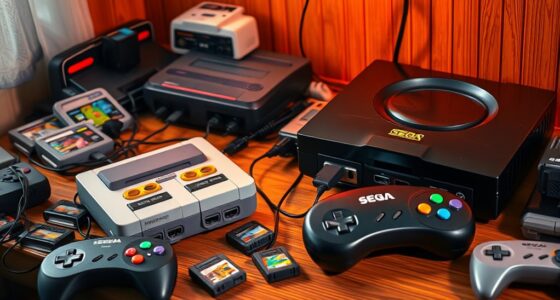
Raspberry Pi RetroPie gives you the flexibility to emulate many classic games and customize your setup, but it often falls short of perfect authenticity and requires some technical know-how. Original consoles provide an authentic, plug-and-play experience with straightforward operation but lack the ability to modify or expand beyond their original design. If you want the best of both worlds or more details, exploring further can help you decide which option suits your gaming style best.

Get furniture and decor delivered free with Prime
- Fast, free delivery on millions of items
- Prime Video, Amazon Music and more included
- Member-only deals all year
Key Takeaways
- RetroPie offers customizable emulation with potential minor fidelity issues, while original consoles provide authentic, error-free gameplay.
- Raspberry Pi allows hardware upgrades and versatility for multiple functions, unlike fixed original consoles.
- Setting up RetroPie requires technical skills, whereas original consoles are plug-and-play for instant gaming.
- RetroPie enables personalized gaming experiences and modding, while original consoles deliver pure, unaltered nostalgia.
- Emulation on RetroPie may have minor glitches, but it supports a broad library; original consoles run games exactly as designed.

When comparing the Raspberry Pi with RetroPie to original gaming consoles, it’s clear that both options offer unique advantages for gamers. One of the main factors to contemplate is emulation accuracy. RetroPie, running on a Raspberry Pi, excels at recreating classic games through emulation, but it’s not always perfect. You might notice slight glitches or differences in graphics and sound, especially with more demanding titles. However, the flexibility of the Raspberry Pi allows you to fine-tune emulation settings, which can improve accuracy over time. This level of customization isn’t available with original consoles, which run games exactly as they were designed, without the need for emulation. If your priority is playing games with the highest fidelity to the original experience, an original console guarantees that authenticity, as there’s no software layer to potentially introduce errors. But if you’re willing to experiment and tweak settings, RetroPie offers a compelling alternative that can get pretty close to the real deal. Furthermore, the Raspberry Pi’s emulation capabilities are continually improving, thanks to active community support and updates. Hardware customization is another significant difference. With a Raspberry Pi, you have extensive control over your setup. You can choose different models, add extra storage, swap out controllers, and even modify the case to match your style. This modularity means you can build a personalized gaming machine tailored to your preferences. Plus, you can upgrade hardware components as needed, ensuring your system stays current. Original consoles, on the other hand, are fixed in their design. You’re limited to the hardware they were manufactured with, which means no upgrades or modifications unless you get into complex repair or modification projects. This lack of flexibility might be a downside if you want a machine that grows and adapts with your gaming needs. Additionally, the Raspberry Pi’s versatility extends beyond gaming. You can turn your RetroPie setup into a media center, a programming platform, or even a home automation hub. This multifunctionality adds value that original consoles simply can’t match. However, setting up a RetroPie system requires some technical knowledge, including installing software, configuring emulators, and troubleshooting issues. It’s not as plug-and-play as popping in a cartridge or disc into an original console. But once set up, it provides a rich, customizable gaming experience that can evolve over time.
As an affiliate, we earn on qualifying purchases.
Frequently Asked Questions
Can Retropie Emulate Every Classic Console Accurately?
Retropie can’t emulate every classic console with perfect accuracy due to hardware limitations. While it handles many systems well, emulation accuracy varies depending on the console and game complexity. You might notice some glitches or sound issues with certain titles. To improve performance, you can tweak settings, but some older consoles still pose challenges. Overall, Retropie offers a great experience, but it doesn’t always match the exact feel of original hardware.
How Much Does Setting up Retropie Typically Cost?
Setting up Retropie usually costs around $50 to $100, depending on your choices. Think of it like building a custom sandwich: you pick the ingredients, and the price varies accordingly. Your setup expenses include a Raspberry Pi, microSD card, power supply, and possibly controllers. I once built mine for about $70, and it’s been a fun, budget-friendly project. So, expect to spend within that range for a complete setup.
Are There Legal Risks With ROMS on Retropie?
There are legal risks with ROMs on Retropie because copyright concerns and ROM legality vary. If you don’t own the original game, downloading or sharing ROMs can infringe on copyright laws, risking legal issues. To stay safe, only use ROMs of games you own or those that are free and legally distributed. Always respect intellectual property rights to avoid potential legal trouble when using Retropie.
How Durable Are Retropie Setups Compared to Original Consoles?
Think of your Retropie setup as a delicate plant, requiring gentle care to thrive. Compared to original consoles, its hardware longevity depends on quality components and careful handling. While it’s more resilient to casual bumps and scratches, accidental damage like static or spills can harm the delicate electronics inside. With proper maintenance and cautious use, your Retropie can last just as long as classic consoles, but it’s more vulnerable to sudden mishaps.
Is Internet Connectivity Necessary for Retropie Updates?
No, internet connectivity isn’t always necessary for Retropie updates, but it can be helpful. Your network dependency depends on how often you want to update your system; if you prefer frequent updates, you’ll need an internet connection. Without it, you can still update manually using downloaded files, but you’ll miss out on automatic updates and latest features. So, consider your update frequency and whether you’re comfortable with manual methods.
As an affiliate, we earn on qualifying purchases.
Conclusion
Choosing between Raspberry Pi RetroPie and original consoles is like selecting a key to a timeless treasure chest. RetroPie offers endless adventures, adaptable and full of potential, symbolizing innovation and curiosity. Original consoles represent cherished memories, classic charm, and nostalgia’s warmth. Whichever you pick, remember it’s not just a device—it’s a gateway to your gaming universe. Embrace the journey, for your custom console is the vessel that keeps your gaming spirit alive.
USB game controllers for RetroPie
As an affiliate, we earn on qualifying purchases.
As an affiliate, we earn on qualifying purchases.
As an affiliate, we earn on qualifying purchases.
Columbus Day / Indigenous Peoples' Day Picks
long weekend sales
As an affiliate, we earn on qualifying purchases.