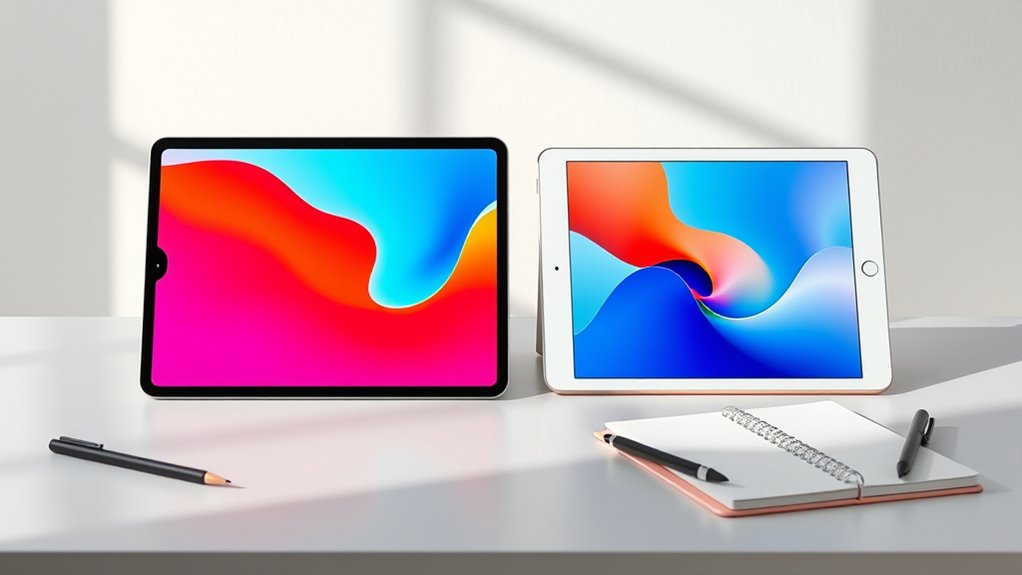

For most students choosing between iPad Pro and iPad Air, I’d start with the 2024 iPad Air 11-inch: it offers a current-generation Air experience and 128GB of storage without paying for Pro features many class workloads won’t use. The 2022 iPad Air with 256GB is a strong value-minded alternative, while the 2024 13-inch iPad Pro suits students who want a large workspace for creative projects and multitasking. The real tradeoff is not simply speed: it’s portability and practical storage versus a larger, more capable screen and a higher level of hardware. Older refurbished iPads can cover basic notes and reading, but their age and smaller storage allowances call for more careful checks. Read on for the full breakdown and help matching an iPad to your coursework.

Get furniture and decor delivered free with Prime
- Fast, free delivery on millions of items
- Prime Video, Amazon Music and more included
- Member-only deals all year
Complete the kit


Key Takeaways
The 2024 iPad Air 11-inch with 128GB is the most balanced student pick here: newer hardware and a useful base storage allowance, without the larger Pro models’ screen-first focus.
The 2022 iPad Air with 256GB is the practical value standout among the listed Airs, pairing a capable chip generation with more room for documents, apps, and offline course files than the 64GB versions.
The 13-inch iPad Pro is the premium choice for students who will use its expansive display for drawing, media work, or side-by-side tasks; its size is less convenient for everyday campus carry.
Several 64GB refurbished Air models share a key limitation: downloaded lectures, creative apps, and offline files can crowd storage quickly, so they suit lighter or cloud-dependent workloads best.
The lineup includes multiple refurbished generations, but a Pro badge alone does not make an older model a better student buy than a newer Air. Generation, storage, condition, and connectivity matter more than the family name by itself.
| Apple iPad Air (4th Generation, 2020), 10.9-inch, Wi-Fi, 64GB, Space Gray (Renewed) |  | Best for Budget-Conscious Note-Takers | Model: iPad Air (4th generation), 2020 | Display: 10.9-inch Liquid Retina, 2360 × 1640 pixels | Processor: Apple A14 Bionic | VIEW ON AMAZON | See Our Full Breakdown |
| Apple 2024 iPad Air 11-inch, Wi-Fi, 128GB, Space Gray (Renewed) |  | Best Renewed Middle Ground | Model: Apple iPad Air (2024) | Display size: 11 inches | Connectivity: Wi-Fi | VIEW ON AMAZON | See Our Full Breakdown |
| Apple iPad Air 11-inch (M4), 256GB, Wi-Fi 7, Blue |  | Best for Demanding Coursework | Display: 11-inch Liquid Retina | Processor: Apple M4 | Storage: 256GB | VIEW ON AMAZON | See Our Full Breakdown |
| Apple iPad Air (5th Generation, 10.9-inch, Wi-Fi, 256GB, 2022) — Blue, Renewed Premium |  | Best Renewed High-Capacity Pick | Model: iPad Air (5th generation), 2022 | Condition: Renewed Premium | Display: 10.9-inch Liquid Retina, 2360 × 1640 pixels, 60Hz | VIEW ON AMAZON | See Our Full Breakdown |
| Apple iPad Air 5th Generation (2022), 10.9-inch, Wi-Fi, 64GB, Starlight (Renewed) |  | Best for M1 on a Light Workload | Model: iPad Air (5th generation), 2022 | Display: 10.9-inch Liquid Retina with True Tone and P3 wide color | Processor: Apple M1 with Neural Engine | VIEW ON AMAZON | See Our Full Breakdown |
| Apple iPad Air (4th Generation, 10.9-inch, Wi-Fi, 256GB, Space Gray) | | Best Value for Handwritten Notes | Model: iPad Air (4th generation) | Model year: 2020 | Display: 10.9-inch Liquid Retina with True Tone and P3 wide color | VIEW ON AMAZON | See Our Full Breakdown |
| Apple iPad Pro 11-inch (2018), 256GB, Wi-Fi + 4G LTE, Space Gray (Renewed) |  | Best for Students Who Need Cellular | Model: iPad Pro (2018) | Display size: 11 inches | Processor: A12X Bionic with Neural Engine | VIEW ON AMAZON | See Our Full Breakdown |
| Apple iPad Air 5th Generation (2022), 10.9-inch, Wi-Fi, 256GB, Purple (Renewed) |  | Best Air for Demanding Coursework | Model: iPad Air 5th generation | Model year: 2022 | Display: 10.9-inch Liquid Retina with True Tone and P3 wide color | VIEW ON AMAZON | See Our Full Breakdown |
| Apple 2025 iPad Air 11-inch, Wi-Fi, 128GB, Space Gray (Renewed) |  | Best for Students Who Want a Newer Air | Model year: 2025 | Display: 11-inch Liquid Retina with wide P3 color and True Tone | Chip: Apple M3 | VIEW ON AMAZON | See Our Full Breakdown |
| Apple iPad Pro (2024, 13-inch, Wi-Fi, 256GB, Space Black, Renewed) |  | Best Premium Large-Screen Study Tablet | Model: iPad Pro (2024) | Screen size: 13 inches | Operating system: iOS | VIEW ON AMAZON | See Our Full Breakdown |
| Apple 2022 iPad Pro 12.9-inch, Wi-Fi, 256GB, Space Gray (Renewed) |  | Best for Demanding Coursework | Display: 12.9-inch Liquid Retina XDR with ProMotion, True Tone, and P3 wide color | Processor: Apple M2, 8-core CPU and 10-core GPU | Storage: 256GB | VIEW ON AMAZON | See Our Full Breakdown |
| Apple iPad Air 5th Generation (2022), 10.9-inch, Wi-Fi, 64GB, Blue (Renewed) |  | Best for Everyday Student Tasks | Display: 10.9-inch Liquid Retina, 2360 × 1640 pixels, 60 Hz | Processor: Apple M1 | Memory: 8GB RAM | VIEW ON AMAZON | See Our Full Breakdown |
| Apple iPad Pro 12.9-inch (4th Generation, 2020), Wi-Fi, 256GB, Space Gray (Renewed) |  | Best for Large-Screen Work on a Budget | Model: iPad Pro 12.9-inch, 4th generation, 2020 | Display: 12.9-inch Liquid Retina, 2732 × 2048 pixels, with ProMotion | Processor: A12Z Bionic | VIEW ON AMAZON | See Our Full Breakdown |
| Apple iPad Air (4th Generation, 2020), 10.9-inch, Wi-Fi, 64GB, Sky Blue (Renewed) |  | Best for Basic Coursework on a Tight Storage Budget | Model: iPad Air, 4th generation, 2020 | Display: 10.9-inch Liquid Retina, 2360 × 1640 pixels | Processor: Apple A14 Bionic | VIEW ON AMAZON | See Our Full Breakdown |
| Apple 2022 iPad Air, 10.9-inch, Wi-Fi, 256GB, Space Gray (Renewed) |  | Best Air for Keeping Coursework Offline | Display: 10.9-inch Liquid Retina with True Tone and P3 wide color | Processor: Apple M1 with Neural Engine | Storage: 256GB | VIEW ON AMAZON | See Our Full Breakdown |
| ipad pro vs ipad air for student | Connectivity | Storage | Display | Processor |
|---|---|---|---|---|
| Apple iPad Air | Wi-Fi 6, Bluetooth, USB-C | 64GB | 10.9-inch Liquid Retina, 2360 × 1640 pixels | Apple A14 Bionic |
| Apple 2024 iPad Air 11-inch | Wi-Fi | 128GB | — | — |
| Apple iPad Air 11-inch | Wi-Fi 7 with Apple N1 | 256GB | 11-inch Liquid Retina | Apple M4 |
| Apple iPad Air | Wi-Fi 6, Bluetooth, USB-C | — | 10.9-inch Liquid Retina, 2360 × 1640 pixels, 60Hz | Apple M1, 3.2GHz |
| Apple iPad Air 5th Generation | Wi-Fi 6, USB-C | 64GB | 10.9-inch Liquid Retina with True Tone and P3 wide color | Apple M1 with Neural Engine |
| Apple iPad Air | Wi-Fi | 256GB | 10.9-inch Liquid Retina with True Tone and P3 wide color | Apple A14 Bionic with Neural Engine |
| Apple iPad Pro 11-inch | Wi-Fi + 4G LTE | 256GB | — | A12X Bionic with Neural Engine |
| Apple iPad Air 5th Generation | Wi-Fi 6 (802.11ax) | 256GB | 10.9-inch Liquid Retina with True Tone and P3 wide color | Apple M1 with Neural Engine |
| Apple 2025 iPad Air 11-inch | Wi-Fi 6E | 128GB | 11-inch Liquid Retina with wide P3 color and True Tone | — |
| Apple iPad Pro | Wi-Fi | 256GB | — | — |
| Apple 2022 iPad Pro 12.9-inch | Wi-Fi 6E | 256GB | 12.9-inch Liquid Retina XDR with ProMotion, True Tone, and P3 wide color | Apple M2, 8-core CPU and 10-core GPU |
| Apple iPad Air 5th Generation | Wi-Fi 6, Bluetooth, and USB-C | 64GB | 10.9-inch Liquid Retina, 2360 × 1640 pixels, 60 Hz | Apple M1 |
| Apple iPad Pro 12.9-inch | Wi-Fi, Bluetooth, and USB-C | 256GB | 12.9-inch Liquid Retina, 2732 × 2048 pixels, with ProMotion | A12Z Bionic |
| Apple iPad Air | Wi-Fi, Bluetooth, and USB-C | 64GB | 10.9-inch Liquid Retina, 2360 × 1640 pixels | Apple A14 Bionic |
| Apple 2022 iPad Air | Wi-Fi 6 | 256GB | 10.9-inch Liquid Retina with True Tone and P3 wide color | Apple M1 with Neural Engine |
More Details on Our Top Picks
Apple iPad Air (4th Generation, 2020), 10.9-inch, Wi-Fi, 64GB, Space Gray (Renewed)
This renewed fourth-generation Air suits students who want a capable Apple Pencil 2 tablet for notes, reading, and everyday coursework without needing the newest chip. Its 10.9-inch Liquid Retina display has True Tone and P3 color, while USB-C and Wi-Fi 6 make it more versatile than a basic study screen. Compared with the 2022 iPad Air with M1, though, the A14 model has less processing headroom for demanding creative apps and a shorter runway for intensive multitasking. The bigger limitation for a student is 64GB of storage, which can fill quickly with downloaded lectures, large project files, and apps. Renewed condition also means buyers should check the included cable and the stated 90-day warranty before relying on it as a long-term school device.
Pros:- 10.9-inch display with True Tone and P3 wide color
- Supports Apple Pencil (2nd generation) and compatible keyboards
- USB-C and Wi-Fi 6 provide useful everyday connectivity
- Touch ID offers convenient device authentication
Cons:- 64GB may be restrictive for apps and coursework stored offline
- A14 chip is older than the M1 in the 2022 iPad Air
- Renewed condition and a 90-day limited warranty add uncertainty
Best for: Students focused on handwritten notes, ebooks, web research, and common school apps who can manage files in cloud storage.
Not ideal for: Students who keep large offline media or design files, or who need more performance headroom for demanding creative work.
- Model:iPad Air (4th generation), 2020
- Display:10.9-inch Liquid Retina, 2360 × 1640 pixels
- Processor:Apple A14 Bionic
- Storage:64GB
- Connectivity:Wi-Fi 6, Bluetooth, USB-C
- Cameras:12MP rear; 7MP front
- Battery life:Up to 10 hours
- Weight:1.5 pounds
- Condition and warranty:Renewed; 90-day limited warranty
Our verdict“Choose this renewed Air for core note-taking and schoolwork if 64GB is enough and you accept an older chip and renewed condition.”
Apple 2024 iPad Air 11-inch, Wi-Fi, 128GB, Space Gray (Renewed)
This renewed 2024 Air is the balanced pick for students who want a newer generation and 128GB of storage without moving to an iPad Pro. That extra room over the 64GB 2020 iPad Air gives more space for class apps, downloaded reading, and project materials, while the 11-inch size remains easy to carry between lectures. The listing describes professional inspection and cleaning, no visible cosmetic imperfections at arm’s length, and a battery above 80% of original capacity. Those details help set expectations, but this is still a pre-owned, non-Apple-certified device; compatible accessories may not be original, and the box may be generic. Unlike the M4 Air listing, the supplied details do not specify processor, camera, or display technology, so students choosing on those capabilities should verify the exact configuration before buying.
Pros:- 128GB storage offers more room than the 64GB Air options
- Professionally inspected, tested, and cleaned
- Battery is listed as above 80% of original capacity
- 11-inch size is suited to both class carry and split-screen study
Cons:- Renewed and not Apple certified
- Accessories may be non-original and packaging may be generic
- Provided specifications omit processor, display details, and camera information
Best for: Students who want a newer 11-inch Air with 128GB and are comfortable buying a professionally inspected pre-owned tablet.
Not ideal for: Buyers who require Apple-certified refurbishment, original accessories, or detailed confirmation of processor and display specifications.
- Model:Apple iPad Air (2024)
- Display size:11 inches
- Connectivity:Wi-Fi
- Storage:128GB
- Color:Space Gray
- Condition:Renewed, pre-owned; not Apple certified
- Battery capacity:More than 80% of new capacity
- Accessories:Compatible accessories may be non-original
- Return policy:Replacement or refund within 90 days of receipt
Our verdict“Pick this renewed 2024 Air if 128GB and a newer generation matter more than Apple-certified refurbishment or fully specified hardware details.”
Apple iPad Air 11-inch (M4), 256GB, Wi-Fi 7, Blue
For students running demanding creative apps, juggling many tasks, or keeping substantial coursework on the tablet, this M4 Air offers the strongest blend of performance and capacity among the five picks. Its 256GB storage doubles the capacity of the 128GB renewed 2024 Air, while the M4 chip gives more headroom than the M1 in the 2022 Air for heavier workloads. The 11-inch Liquid Retina screen keeps the device portable, and the 12MP Center Stage front camera is useful for video classes that include movement in the frame. It is still an Air, not a Pro: students specifically seeking a Pro model’s display and feature set should compare the Pro options in this roundup. Pencil and Magic Keyboard are sold separately, adding to the kit a student may need to assemble.
Pros:- M4 chip provides substantial capacity for demanding apps and multitasking
- 256GB storage leaves more room for projects and offline course materials
- Wi-Fi 7 and Apple N1 are listed for wireless connectivity
- 12MP Center Stage front camera and 12MP rear camera
Cons:- Apple Pencil and Magic Keyboard are sold separately
- 11-inch display provides less workspace than the 13-inch iPad Pro options
- Does not provide the iPad Pro model’s feature set
Best for: Students in design, media, or technical courses who need strong app performance, 256GB of storage, and a portable screen.
Not ideal for: Students on a tight accessory budget or those who specifically want an iPad Pro rather than an Air.
- Display:11-inch Liquid Retina
- Processor:Apple M4
- Storage:256GB
- Connectivity:Wi-Fi 7 with Apple N1
- Front camera:12MP Center Stage
- Rear camera:12MP Wide
- Authentication:Touch ID
- Weight:1.02 pounds
- Color:Blue
Our verdict“Choose this M4 Air if your coursework benefits from high performance and 256GB, but compare an iPad Pro if its larger display or Pro-specific features are the priority.”
Apple iPad Air (5th Generation, 10.9-inch, Wi-Fi, 256GB, 2022) — Blue, Renewed Premium
This renewed-premium 2022 Air is a practical match for students who want M1 performance and 256GB without stepping up to the newer M4 Air. That capacity is a clear advantage over the 64GB 2022 Air in this lineup: it leaves more room for lecture downloads, creative projects, and larger apps. The M1 chip and listed 8GB RAM also suit multitasking, while the 12MP Ultra Wide front camera can frame more of a student during video calls. Its 10.9-inch, 60Hz display is useful for notes and reading, but it does not offer the larger workspace of the 13-inch Pro models. Renewed Premium condition and a one-year warranty are listed, though students should still weigh a pre-owned device against the newer M4 Air’s extra performance and Wi-Fi 7.
Pros:- 256GB storage provides ample space compared with the 64GB Air
- M1 chip and listed 8GB RAM support multitasking and demanding apps
- Supports Apple Pencil (2nd generation) and compatible keyboards
- One-year warranty is listed
Cons:- Renewed Premium rather than new
- 60Hz 10.9-inch display offers less workspace than larger Pro models
- Older M1 platform lacks the M4 Air’s newer processor and Wi-Fi 7
Best for: Students who need 256GB for coursework and creative projects, want M1-level performance, and are comfortable with renewed-premium condition.
Not ideal for: Students who want the latest chip and Wi-Fi generation, a new device, or a larger Pro display for detailed work.
- Model:iPad Air (5th generation), 2022
- Condition:Renewed Premium
- Display:10.9-inch Liquid Retina, 2360 × 1640 pixels, 60Hz
- Processor:Apple M1, 3.2GHz
- Storage and RAM:256GB storage; 8GB RAM
- Connectivity:Wi-Fi 6, Bluetooth, USB-C
- Cameras:12MP rear; 12MP Ultra Wide front
- Battery life:Up to 10 hours
- Weight:1 pound
Our verdict“Choose this renewed M1 Air if you need 256GB and capable performance for school but do not need the M4 Air’s newer platform or an iPad Pro display.”
Apple iPad Air 5th Generation (2022), 10.9-inch, Wi-Fi, 64GB, Starlight (Renewed)
This renewed fifth-generation Air brings the M1 chip to students whose schoolwork centers on notes, browsing, video calls, and common productivity apps. It is a more capable processor than the A14 in the 2020 iPad Air, and its 12MP Ultra Wide front camera is better suited to video classes than that model’s listed 7MP front camera. The catch is that this configuration pairs the M1 with only 64GB of storage, while the 256GB renewed M1 Air is a safer fit for large files and offline media. Wi-Fi 6, USB-C, Touch ID, and support for Apple Pencil 2 cover core student needs, but the pencil and keyboard are separate accessories. Renewed condition and a 90-day limited warranty make this a narrower choice for buyers willing to manage storage carefully.
Pros:- M1 chip offers more performance headroom than the A14 in the 2020 Air
- 10.9-inch display includes True Tone and P3 wide color
- 12MP Ultra Wide front camera supports video calls
- Supports Apple Pencil (2nd generation) and compatible keyboards
Cons:- 64GB storage can constrain apps and offline coursework
- Renewed condition with a 90-day limited warranty
- Apple Pencil and keyboard accessories are not listed as included
Best for: Students who want M1 performance for everyday coursework and can keep most documents and media in cloud storage.
Not ideal for: Students with large app libraries, video projects, or extensive offline course materials who would benefit from the 256GB M1 Air.
- Model:iPad Air (5th generation), 2022
- Display:10.9-inch Liquid Retina with True Tone and P3 wide color
- Processor:Apple M1 with Neural Engine
- Storage:64GB
- Connectivity:Wi-Fi 6, USB-C
- Cameras:12MP Wide rear; 12MP Ultra Wide front
- Battery life:Up to 10 hours
- Authentication:Touch ID
- Condition and warranty:Renewed; 90-day limited warranty
Our verdict“Pick this renewed M1 Air for everyday student work if you value its newer chip over storage capacity and can make 64GB work.”
Apple iPad Air (4th Generation, 10.9-inch, Wi-Fi, 256GB, Space Gray)
For students who want a capable note-taking and reading tablet without stepping up to an iPad Pro, this fourth-generation Air balances a 10.9-inch True Tone display, 256GB of storage, and support for Apple Pencil (2nd generation). The screen’s P3 wide color is useful for diagrams and visual coursework, while the A14 chip is suited to common study apps and multitasking. Compared with the 2022 iPad Air with M1, this model has less processing headroom for demanding creative workloads, but the core study setup remains familiar. Its main caveat is the renewed condition and 90-day limited warranty; students who need longer-term assurance may prefer a new device. Wi-Fi-only connectivity also means it relies on campus or phone hotspot access.
Pros:- 10.9-inch display with True Tone and P3 wide color suits reading, notes, and visual study material.
- 256GB capacity leaves room for course files, apps, and downloaded media.
- Supports Apple Pencil (2nd generation) and keyboard accessories.
- Touch ID provides straightforward device authentication.
Cons:- A14 chip has less performance headroom than the M1 in the 2022 iPad Air.
- Renewed condition and 90-day limited warranty may be a concern for a device expected to last through several school years.
- Wi-Fi-only connectivity does not provide independent mobile data access.
Best for: Students who want a 256GB tablet for lecture notes, reading, and everyday coursework with Apple Pencil support.
Not ideal for: Students who need cellular access away from Wi-Fi or want the longer performance runway of the M1-powered iPad Air.
- Model:iPad Air (4th generation)
- Model year:2020
- Display:10.9-inch Liquid Retina with True Tone and P3 wide color
- Processor:Apple A14 Bionic with Neural Engine
- Storage:256GB
- Connectivity:Wi-Fi
- Authentication:Touch ID
- Condition and warranty:Renewed; 90-day limited warranty
Our verdict“Choose this renewed Air for a roomy, Pencil-ready study tablet if you can accept its older chip and limited warranty.”
Apple iPad Pro 11-inch (2018), 256GB, Wi-Fi + 4G LTE, Space Gray (Renewed)
This older Pro’s defining advantage for students is Wi-Fi plus 4G LTE, which can keep course materials and online work accessible when campus Wi-Fi is unreliable, subject to an appropriate data plan. Its four-speaker audio also makes recorded lectures and video calls easier to hear without headphones. Compared with the fourth-generation iPad Air, this Pro adds cellular connectivity, Face ID, and wider stereo sound, but it is an older model with an A12X chip. The 256GB storage is useful for locally saved files, yet the listing does not specify display technology or battery condition. Since it is renewed and no warranty details are provided here, I would favor a newer Air for students prioritizing a fresher platform over cellular access.
Pros:- Wi-Fi and 4G LTE support can provide internet access beyond Wi-Fi networks.
- 256GB storage offers room for course documents and offline materials.
- Four-speaker audio helps with lecture playback and video calls.
- Face ID and a 7MP TrueDepth front camera support convenient authentication and calls.
Cons:- The 2018 A12X platform is older than the A14 in the fourth-generation iPad Air and the M1 in the 2022 Air.
- Renewed condition adds uncertainty, and the supplied product data does not state warranty coverage.
- Cellular use may require a separate compatible data plan.
Best for: Students who regularly study or attend online classes away from Wi-Fi and want 256GB of storage with LTE connectivity.
Not ideal for: Students who mainly work on campus Wi-Fi, want a newer chip, or need clearly specified renewed-device warranty coverage.
- Model:iPad Pro (2018)
- Display size:11 inches
- Processor:A12X Bionic with Neural Engine
- Storage:256GB
- Connectivity:Wi-Fi + 4G LTE
- Authentication:Face ID
- Audio:Four speakers with wider stereo sound
- Condition:Renewed
Our verdict“Pick this renewed Pro when LTE and four-speaker audio matter more to your studies than having a newer chip.”
Apple iPad Air 5th Generation (2022), 10.9-inch, Wi-Fi, 256GB, Purple (Renewed)
The fifth-generation Air is the most balanced choice here for students whose workload reaches beyond basic notes and browsing. Its M1 chip gives it more headroom for creative apps and multitasking than the A14-powered fourth-generation Air, while 256GB storage leaves space for large projects and offline files. The 12MP Ultra Wide front camera is a practical plus for video calls, and Wi-Fi 6 supports newer wireless networks. It still keeps the Air’s lighter, study-friendly 10.9-inch format rather than the 13-inch 2024 iPad Pro’s larger workspace. The tradeoff is its renewed condition and 90-day warranty, and it lacks the Pro’s listed LTE option. Students who do not need M1 performance may find the older Air sufficient.
Pros:- M1 chip provides more headroom for demanding coursework than the A14 in the fourth-generation iPad Air.
- 256GB storage supports larger projects and downloaded course content.
- 12MP Ultra Wide front camera is well suited to video calls.
- Wi-Fi 6, USB-C, and support for Apple Pencil (2nd generation) and select keyboards provide a flexible study setup.
Cons:- Renewed condition and 90-day limited warranty may offer less reassurance for long-term school use.
- Wi-Fi-only connectivity depends on a network or phone hotspot.
- Students with simple study needs may not benefit much from the M1 over the older fourth-generation Air.
Best for: Students working with design, photo, or other demanding apps who want M1 performance, 256GB storage, and a portable 10.9-inch screen.
Not ideal for: Students who only need basic note-taking and web research, or those who want a new device, cellular connectivity, or a larger Pro display.
- Model:iPad Air 5th generation
- Model year:2022
- Display:10.9-inch Liquid Retina with True Tone and P3 wide color
- Processor:Apple M1 with Neural Engine
- Storage:256GB
- Connectivity:Wi-Fi 6 (802.11ax)
- Connector:USB-C
- Battery life:Up to 10 hours
- Condition and warranty:Renewed; 90-day limited warranty
Our verdict“Choose this renewed M1 Air if your coursework benefits from stronger multitasking and creative-app performance in a compact tablet.”
Apple 2025 iPad Air 11-inch, Wi-Fi, 128GB, Space Gray (Renewed)
This 2025 Air is the most recent-generation Air in this group, with an M3 chip suited to multitasking and creative student work. Its 11-inch Liquid Retina display with True Tone and P3 wide color gives reading, diagrams, and media a useful balance of size and portability. Compared with the 2022 M1 iPad Air, the newer chip is its clearest appeal; however, this listing provides only 128GB of storage, half the capacity of that M1 model. The supplied details also do not specify Apple Pencil support, battery life, or authentication, so I would verify those needs before choosing it as a complete class setup. As a renewed tablet, it carries condition uncertainty, and Wi-Fi-only connectivity will not serve students who need mobile data.
Pros:- M3 chip is a newer platform than the M1 in the 2022 iPad Air.
- 11-inch Liquid Retina display includes True Tone and P3 wide color.
- Wi-Fi 6E supports compatible newer wireless networks.
- USB-C port supports data transfer up to 10 Gb/s.
Cons:- 128GB storage is less than the 256GB capacity of the 2022 M1 Air and may constrain large course libraries.
- Renewed condition adds uncertainty for a device expected to serve through multiple academic years.
- Supplied product details do not specify Pencil compatibility, battery life, or authentication features.
Best for: Students who want a newer-generation Air for general coursework and multitasking, and whose files fit within 128GB.
Not ideal for: Students with large video, design, or research archives, or buyers who need confirmed accessory compatibility, LTE, or detailed warranty information.
- Model year:2025
- Display:11-inch Liquid Retina with wide P3 color and True Tone
- Chip:Apple M3
- Storage:128GB
- Connectivity:Wi-Fi 6E
- Port:USB-C, up to 10 Gb/s
- Color:Space Gray
- Condition:Renewed
Our verdict“Choose this renewed 2025 Air if you value its newer M3 platform and can work within 128GB of storage.”
Apple iPad Pro (2024, 13-inch, Wi-Fi, 256GB, Space Black, Renewed)
For students who want a broad digital workspace, the 13-inch display and 256GB storage make this 2024 Pro the premium large-screen option in this group. The extra screen area can make split-screen reading and note-taking more comfortable than on the 11-inch 2025 iPad Air, especially when comparing lecture slides with class notes. That advantage comes with a larger tablet to carry, and the supplied listing provides little technical detail beyond display size, storage, and Wi-Fi connectivity. It does not identify the chip, display features, camera, or accessory compatibility, so students should confirm any must-have workflow before buying. It is also renewed, making condition a relevant concern. For ordinary notes and browsing, the smaller Air models are a more restrained fit.
Pros:- 13-inch screen provides more room for split-screen reading, notes, and documents than the 10.9- and 11-inch Air models.
- 256GB storage provides space for course files and media.
- Wi-Fi connectivity supports wireless study and streaming.
Cons:- Larger 13-inch size is less convenient to carry than the 10.9-inch Air models.
- The supplied product details do not specify the chip, display technology, battery life, or accessory support.
- Renewed condition may mean greater uncertainty than buying a new device.
Best for: Students who regularly use split-screen study workflows, annotate large documents, or want a spacious tablet display with 256GB storage.
Not ideal for: Students prioritizing a light, compact daily carry, or buyers who need confirmed chip, Pencil, keyboard, or display specifications before deciding.
- Model:iPad Pro (2024)
- Screen size:13 inches
- Operating system:iOS
- Storage:256GB
- Connectivity:Wi-Fi
- Color:Space Black
- Condition:Renewed
Our verdict“Choose this renewed Pro if screen space is central to your study routine and you can confirm the missing specifications suit your setup.”
Apple 2022 iPad Pro 12.9-inch, Wi-Fi, 256GB, Space Gray (Renewed)
The 12.9-inch Liquid Retina XDR display gives this iPad Pro a clear role for students who regularly work with detailed diagrams, large documents, photo projects, or split-screen notes. Its M2 chip and ProMotion refresh rate provide more headroom and smoother scrolling than the 2022 iPad Air with M1, though most note-taking and reading do not need that extra performance. The larger screen can make multitasking more comfortable, but it is less convenient to carry between classes than a 10.9-inch Air. 256GB storage leaves more room for course files and creative work than the 64GB Air models here. The tradeoffs are its renewed condition and the fact that this Wi-Fi model lacks cellular connectivity; choose it for its screen and workload capacity, not simply for basic student tasks.
Pros:- Large XDR display with ProMotion supports detailed work and smooth scrolling
- M2 chip provides substantial performance headroom for graphics-heavy apps
- 256GB storage accommodates more coursework and media than 64GB options
- Thunderbolt and USB 4 support expands wired accessory and data-transfer options
Cons:- Larger body is less convenient to carry than the 10.9-inch iPad Air models
- Renewed condition may involve cosmetic wear or battery variation
- Wi-Fi-only configuration has no cellular data connection
Best for: Students who annotate large readings, use demanding creative apps, or want more room for split-screen coursework and local files.
Not ideal for: Students focused on portability, basic notes, and browsing who would be better served by a smaller iPad Air.
- Display:12.9-inch Liquid Retina XDR with ProMotion, True Tone, and P3 wide color
- Processor:Apple M2, 8-core CPU and 10-core GPU
- Storage:256GB
- Connectivity:Wi-Fi 6E
- Connector:USB-C with Thunderbolt and USB 4 support
- Cameras:12MP Ultra Wide front camera with Center Stage; 10MP Ultra Wide rear camera
- Additional sensor:LiDAR Scanner
- Condition:Renewed
Our verdict“Choose this renewed Pro if a large, high-refresh display and M2 performance matter more to your coursework than easy portability.”
Apple iPad Air 5th Generation (2022), 10.9-inch, Wi-Fi, 64GB, Blue (Renewed)
This 2022 iPad Air is the balanced pick for students whose routine centers on lectures, notes, research, and video calls. Its M1 chip makes it a stronger multitasking choice than the older A14-powered iPad Air 4, while the 10.9-inch display remains easier to carry than the 12.9-inch iPad Pro. The front camera’s Center Stage feature can keep students framed during online classes, and support for Apple Pencil (2nd generation) suits handwritten notes. The limiting factor is 64GB storage: downloaded lectures, media, and creative projects can fill it faster than the 256GB Air or Pro options in this group. This renewed model also has a shorter stated warranty than many new-device buyers may expect. It fits ordinary coursework well, but students with large offline libraries should favor a higher-capacity configuration.
Pros:- M1 chip supports capable multitasking and demanding student apps
- 10.9-inch size balances usable workspace with classroom portability
- 12MP front camera with Center Stage suits video classes
- Supports Apple Pencil (2nd generation) and compatible keyboards
Cons:- 64GB storage can constrain offline course materials and media
- Renewed condition may mean cosmetic wear or variable battery health
- 60Hz display lacks the smoother ProMotion experience of the iPad Pro
Best for: Students seeking a portable M1 iPad for notes, online classes, research, and everyday coursework who can manage a modest file library.
Not ideal for: Students who store many videos or large creative projects locally, or who want the expanded display and storage of the 12.9-inch iPad Pro.
- Display:10.9-inch Liquid Retina, 2360 × 1640 pixels, 60 Hz
- Processor:Apple M1
- Memory:8GB RAM
- Storage:64GB
- Connectivity:Wi-Fi 6, Bluetooth, and USB-C
- Cameras:12MP front and rear
- Battery life:Up to 10 hours
- Condition and warranty:Renewed; 90-day limited warranty
Our verdict“Pick this Air for portable M1 performance and daily coursework if 64GB is enough for your files.”
Apple iPad Pro 12.9-inch (4th Generation, 2020), Wi-Fi, 256GB, Space Gray (Renewed)
Students who want a roomy workspace without choosing the newer M2 Pro can look to this 2020 model. Its 12.9-inch display with ProMotion is better suited to side-by-side documents and detailed diagrams than the 10.9-inch iPad Air 5, and 256GB storage gives coursework and downloads more breathing room than 64GB Air configurations. The A12Z Bionic remains capable for note-taking, research, and many creative tasks, but it is an older platform than the M1 Air and M2 Pro, so it offers less performance headroom for future-heavy workloads. Face ID and the camera system add flexibility, though they matter less to most students than screen space and storage. Its renewed status, 90-day limited warranty, and conflicting listed RAM figures call for extra caution when comparing it with newer Air options.
Pros:- 12.9-inch display offers more space for documents and split-screen work
- ProMotion provides smoother scrolling than the 60Hz iPad Air 5
- 256GB storage supports substantial offline coursework
- Face ID and LiDAR-equipped rear cameras add useful device features
Cons:- A12Z chip is older than the M1 iPad Air 5 and M2 iPad Pro
- Renewed condition and 90-day limited warranty may not suit buyers wanting a new device
- Product details conflict on the listed RAM capacity
Best for: Students who prioritize a large ProMotion screen and 256GB capacity for reading, annotation, and multitasking over having a newer processor.
Not ideal for: Students seeking a newer chip, a compact classroom device, or clear and consistent specification details.
- Model:iPad Pro 12.9-inch, 4th generation, 2020
- Display:12.9-inch Liquid Retina, 2732 × 2048 pixels, with ProMotion
- Processor:A12Z Bionic
- Storage:256GB
- Connectivity:Wi-Fi, Bluetooth, and USB-C
- Cameras:12MP Wide and 10MP Ultra Wide rear cameras with LiDAR; 7MP TrueDepth front camera
- Authentication:Face ID
- Condition and warranty:Renewed; 90-day limited warranty
Our verdict“Choose this renewed Pro for its large 120Hz-class display and 256GB storage, provided you are comfortable with an older chip and unclear RAM listing.”
Apple iPad Air (4th Generation, 2020), 10.9-inch, Wi-Fi, 64GB, Sky Blue (Renewed)
This iPad Air 4 suits students who mainly read, browse, take handwritten notes, and want a straightforward 10.9-inch tablet. Its A14 Bionic chip and Liquid Retina display remain a capable pairing for common school tasks, while Touch ID and USB-C keep daily use simple. Compared with the M1-powered iPad Air 5, it has less processing headroom and an older front camera, so it is a less compelling choice for heavier multitasking or frequent video classes. The 64GB capacity is the sharper limitation: downloaded textbooks, recorded lectures, and apps compete for space, unlike the 256GB Air and Pro options in this roundup. The device supports Apple Pencil (2nd generation), but its renewed condition and inconsistent RAM listing make it a more cautious pick than newer Air models.
Pros:- 10.9-inch display is practical for reading and portable enough for class
- A14 Bionic supports common note-taking, browsing, and school apps
- Touch ID and USB-C offer convenient everyday access and charging
- Supports Apple Pencil (2nd generation) and compatible keyboards
Cons:- 64GB storage can be restrictive for downloaded materials and apps
- A14 chip has less performance headroom than the M1 in the iPad Air 5
- Renewed condition and conflicting RAM details add uncertainty
Best for: Students with mostly cloud-based coursework who want a compact tablet for reading, basic notes, and web research.
Not ideal for: Students who keep large files offline, rely on demanding creative apps, or want the newer M1 Air’s performance and front camera.
- Model:iPad Air, 4th generation, 2020
- Display:10.9-inch Liquid Retina, 2360 × 1640 pixels
- Processor:Apple A14 Bionic
- Storage:64GB
- Connectivity:Wi-Fi, Bluetooth, and USB-C
- Cameras:12MP rear; 7MP FaceTime HD front
- Authentication:Touch ID
- Condition and warranty:Renewed; 90-day limited warranty
Our verdict“Choose this Air 4 for basic, mostly cloud-based coursework, but step up to the M1 Air if you need more performance or storage.”
Apple 2022 iPad Air, 10.9-inch, Wi-Fi, 256GB, Space Gray (Renewed)
This 2022 iPad Air pairs the M1 chip with 256GB of storage, making it a stronger student fit than the 64GB iPad Air 5 when lectures, reference files, and apps need to stay on the device. It keeps the same portable 10.9-inch format, so it is easier to carry between classes than either 12.9-inch iPad Pro in this batch. The display is sharp and supports True Tone and P3 wide color, while Wi-Fi 6 and landscape stereo audio suit online lessons and media. Against the 12.9-inch M2 Pro, it gives up ProMotion, the larger workspace, and Thunderbolt support; in return, it avoids the Pro’s bulk for everyday campus use. The main caveat is its renewed condition, and the supplied details do not specify memory or warranty.
Pros:- M1 chip provides capable performance for multitasking and student apps
- 256GB storage gives offline materials more room than 64GB Air models
- 10.9-inch size is easier to carry than the 12.9-inch iPad Pro
- Landscape stereo audio and 12MP Ultra Wide front camera suit video classes
Cons:- 60Hz display lacks the ProMotion smoothness of the 12.9-inch Pro models
- Smaller screen offers less room for split-screen work than either Pro
- Renewed condition is listed without memory or warranty details
Best for: Students who want M1 performance and generous local storage in a portable Air for offline lectures, apps, and coursework.
Not ideal for: Students who need a large workspace, ProMotion, Thunderbolt connectivity, or a clearly stated warranty and memory configuration.
- Display:10.9-inch Liquid Retina with True Tone and P3 wide color
- Processor:Apple M1 with Neural Engine
- Storage:256GB
- Connectivity:Wi-Fi 6
- Audio:Stereo landscape audio
- Cameras:12MP Wide rear; 12MP Ultra Wide front
- Authentication:Touch ID
- Condition:Renewed
Our verdict“Pick this renewed Air if you want M1 capability and 256GB for campus coursework without carrying a 12.9-inch Pro.”

How We Picked
I ranked these iPads around student tasks: reading course material, taking notes, joining video calls, running school apps, and carrying a device between classes. I weighed generation and expected performance headroom, usable storage, screen size, portability, and connectivity. For refurbished listings, I also treated age and the need to confirm the seller’s condition and included accessories as meaningful tradeoffs rather than assuming every renewed device is alike.
The order favors options that balance daily usability with a sensible amount of storage. That puts a newer 11-inch Air ahead of older or more storage-limited models for many students, while a 256GB 2022 Air remains a compelling value-oriented choice. Pro models rank higher for students who can use their larger displays and premium capabilities, but not automatically for everyone: the 13-inch form factor can be cumbersome, and an older Pro may be a less practical campus companion than a newer Air. Renewed models can be good fits, but buyers should verify battery condition, return terms, and exact model details before choosing.
Factors to Consider When Choosing Ipad Pro Vs Ipad Air For Students
I’d choose an iPad for school by starting with the work it must do, then matching storage, screen size, and generation to that workload. A more expensive model is only a better student tool if its specific advantages solve a real problem.
Match the iPad to Your Coursework
For reading, handwritten notes, web research, and standard learning platforms, an Air is usually the more sensible starting point. Students editing large creative files, drawing professionally, or working across demanding apps may have a clearer reason to choose a Pro. Before paying for extra capability, check whether your required software runs well on iPadOS and whether your courses expect a laptop for specialized tasks. An iPad can complement a computer, but it may not replace one for every major. The common mistake is buying the highest tier before checking the actual assignments. I’d prioritize compatibility and workflow over the Pro label.
Choose Storage for Offline Schoolwork
Storage affects how comfortably an iPad handles downloaded lectures, textbooks, scanned notes, and creative projects. A 64GB model can work for light use when files stay in cloud storage, but it leaves less room for apps and offline materials. Students who travel, have unreliable campus Wi-Fi, or keep several courses’ resources on-device may prefer 128GB or 256GB. Cloud storage helps with documents, but it does not make every app or downloaded file disappear from local storage. Check how much space your current phone or tablet uses as a rough guide, while leaving room for new coursework. Paying for capacity can be more useful than paying for a larger display you rarely need.
Decide Whether Pro Screen Space Earns Its Weight
A larger Pro screen can make split-screen reading and note-taking feel less cramped, and it gives visual work more room. That benefit matters most if you regularly annotate PDFs beside lecture notes, draw, or edit media. The same screen adds bulk in a backpack and can feel less convenient in tight classroom seating. An 11-inch Air is easier to carry and handle for quick notes between classes. Don’t assume a bigger display will replace a laptop-sized workspace for every task. Think about where you study as much as what you study.
Compare Generations, Not Just Air and Pro Labels
These listings span several generations, so the model family does not tell the whole story. A newer Air may be the better everyday choice than an older Pro if it offers a more recent platform for the apps and system features you need. Older Pros can still appeal for screen size or listed connectivity, but refurbished age brings more uncertainty around remaining battery life and long-term support. Confirm the exact generation and specifications rather than relying on a shortened product title. For a device expected to last through several academic years, newer hardware can be a worthwhile priority. A prior-generation model makes more sense when its specific strengths outweigh that age difference.
Treat Refurbished Condition as Part of the Decision
Renewed listings can make higher-capacity or Pro configurations attainable, but the word renewed does not guarantee identical condition across sellers. Check what the listing says about battery health, cosmetic wear, included charging accessories, warranty coverage, and returns. A seller’s return policy matters because battery performance is difficult to judge from a specification list alone. Compare the exact configuration, not just the model name: storage and cellular capability can change how useful a device is for school. Avoid choosing a questionable listing solely because it appears to offer a stronger model. A dependable Air with clear terms may be a better student purchase than an uncertain older Pro.
Budget for the Complete Study Setup
The iPad itself is only one part of a note-taking setup. If you plan to write by hand, confirm Apple Pencil compatibility for the exact generation and include the stylus in your budget. A keyboard can help with essays and long emails, but it adds weight and may still not provide the laptop workflow some courses require. A protective case matters for a device that will move between home, class, and the library. Compare the total setup you need with the cost and flexibility of a laptop you may already own. Students often get more day-to-day value from a suitable Air plus the right accessories than from a Pro with no plan for its extra capabilities.
Frequently Asked Questions
Is an iPad Air enough for a student, or should I choose an iPad Pro?
For notes, reading, research, video calls, and most school apps, an iPad Air is enough for many students. I’d choose a Pro when its larger display or premium capabilities directly support frequent drawing, media work, or a multitasking-heavy workflow. The 13-inch Pro in this lineup offers more workspace, but it is less convenient to carry than an 11-inch Air. Check whether your course software requires features beyond what an Air supports before spending more. If you also need to run desktop-only programs, neither iPad should be assumed to replace a laptop.
Is a 64GB refurbished iPad Air a safe choice for college?
It can be a reasonable fit if you mainly take notes, stream content, and keep most files in cloud storage. It is a tighter choice if you download lectures, store large textbooks, use creative apps, or want several years of growth without managing space. In this lineup, 64GB appears across multiple older Air configurations, so the storage constraint is not limited to one color or generation. Check your current device’s storage use and think about how often you need files offline. When that use is already substantial, a higher-capacity model is the less stressful pick.
Should I buy a newer iPad Air or an older iPad Pro for school?
I’d compare the specific generation, screen size, storage, and connectivity rather than treating Pro as an automatic upgrade. A newer Air can be a stronger fit for daily student use if you value a more recent platform and easy portability. An older Pro may still make sense if its larger screen or cellular connectivity solves a real need. Since renewed devices can vary in condition, check battery details, return terms, and the exact model identifier before deciding. Choose the older Pro only when its distinct benefit matters more to your workload than its age.
Does the 13-inch iPad Pro make sense for carrying to class every day?
It can, but its larger screen is a tradeoff you will feel in a backpack, at a small desk, and during quick one-handed use. Students who annotate documents beside notes or create visual work may find the extra workspace worthwhile. For mostly reading, typing short notes, and moving between classes, an 11-inch Air is easier to manage. Consider your usual bag and classroom seating before choosing by screen size alone. If possible, compare the device dimensions with the space you normally study in.
What should I verify before ordering a renewed iPad for school?
Check the exact generation, storage, Wi-Fi or cellular configuration, and listed condition; product titles can make similar models sound interchangeable. Read the seller’s terms for battery condition, included accessories, warranty, and returns. Confirm Apple Pencil compatibility if handwriting is central to your study routine, since accessories vary by generation. Also make sure the iPad can run the apps your program requires. A clear return path is especially useful when battery performance and cosmetic condition cannot be judged from the listing alone.
Conclusion
For the best overall student fit, I’d choose the 2024 11-inch iPad Air with 128GB: it balances current-generation Air hardware, manageable size, and practical storage. The best value-minded pick is the 2022 iPad Air with 256GB, especially for students who want more room for course files without needing a Pro-sized screen. For a premium, large-screen setup, the 2024 13-inch iPad Pro suits creative work and side-by-side study, provided you accept the extra bulk. Beginners with basic note-taking and reading needs can start with a renewed Air, but I’d favor a higher-capacity configuration when the budget allows. For students who need mobile data, the listed 2018 11-inch Pro with LTE is a specific option, though its age makes condition and software needs worth checking carefully. Match the model to your workload first, then verify storage, accessory compatibility, and renewed-device terms.
Fall Picks
fall essentials
As an affiliate, we earn on qualifying purchases.