To run classic software on modern machines, you can use emulators that recreate vintage computer environments digitally. Emulators provide broad compatibility, making it easy to enjoy old programs without risking hardware damage. Alternatively, you can restore original hardware, though this often requires sourcing rare parts and technical skill. Combining both approaches helps preserve computing history and offers authentic experiences. Keep exploring how these methods work, and you’ll uncover even more ways to bridge vintage systems with today’s technology.
Key Takeaways
- Emulators recreate vintage computing environments, enabling running classic software on modern devices without hardware.
- They provide high compatibility, allowing legacy programs and games to operate smoothly across various platforms.
- Hardware restoration preserves original systems, offering authentic experience and insights into early computer engineering.
- Combining emulation and hardware restoration ensures comprehensive preservation and access to vintage computing history.
- Emulators eliminate the need for rare parts, making classic software accessible and safe to run on current technology.

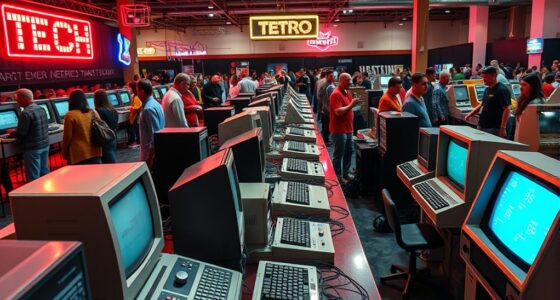
Have you ever wondered how early computers shaped the technology we use today? The answer lies in the way enthusiasts and developers have preserved and adapted vintage computing systems. Today, running classic software on modern machines is easier than ever, thanks to advances in emulator compatibility and hardware restoration techniques. Emulators act as digital bridges, allowing you to recreate the environment of old computers without needing the original hardware. They are designed to mimic the hardware architecture of vintage systems, ensuring that legacy programs run smoothly on current devices. By using well-developed emulators, you can enjoy classic software and games without worrying about outdated components or incompatible formats. Compatibility is continually improving, with many emulators supporting a wide range of vintage platforms, from early PCs to mainframe systems. This means you can experience a broad spectrum of computing history without leaving your desk.
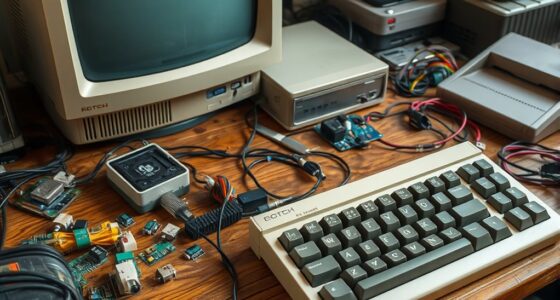
However, emulators aren’t the only solution. If you’re dedicated to preserving the authentic experience, hardware restoration plays a pivotal role. Restoring vintage computers involves repairing and refurbishing original hardware, often replacing faulty capacitors, cleaning circuit boards, and sourcing rare parts. Restoring hardware isn’t just about keeping the past alive; it’s about understanding how these machines operated and ensuring their longevity. When you restore authentic hardware, you gain a deeper appreciation of the craftsmanship and engineering that went into early computers. This process can be meticulous and sometimes challenging, especially when original components are scarce, but the reward is invaluable. You get to see and feel the real deal—an experience that emulators, no matter how accurate, can’t fully replicate. The combination of hardware restoration and emulator compatibility offers a complete approach to vintage computing, letting you choose between digital recreation and physical preservation. Preserving hardware is also essential for understanding the technical intricacies that made these early systems unique.
Both methods serve the same purpose: ensuring that the rich history of computing remains accessible. Emulators provide convenience and broad compatibility, making it easy to run software and explore old systems without risking damage to fragile hardware. Meanwhile, hardware restoration preserves the tangible, historical artifact, giving you the chance to operate a machine just as it was originally intended. Whether you prefer to tinker with circuit boards or click through a user interface, embracing both approaches enriches your understanding of computing’s evolution. As technology continues to advance, these efforts help bridge the gap between past and present, allowing you to appreciate the roots of modern tech while enjoying the innovations of today. In the end, vintage computing isn’t just about nostalgia—it’s about actively engaging with history in a way that informs and inspires future innovations.
Frequently Asked Questions
What Are the Best Emulators for Running Classic Software?
You should try emulators like DOSBox for classic MS-DOS software, which offers excellent software compatibility and reliable performance. For old Apple systems, try OpenEmu or Basilisk II, known for good compatibility and smooth operation. PCem and MAME are also great options, providing high emulator performance for various vintage computers and arcade games. These tools help you relive classic software experiences seamlessly on your modern machine.
How Do I Set up a Vintage Computer for Modern Use?
To set up a vintage computer for modern use, start by making hardware modifications like adding USB ports or updating storage for better software compatibility. Install emulators or compatible operating systems to run old software smoothly. You might also consider installing modern peripherals or using adapters to connect newer devices. This approach guarantees your vintage machine functions efficiently while maintaining its classic charm and compatibility with modern software.
Are There Legal Issues With Emulating Old Software?
Yes, there can be legal issues with emulating old software. You need to take into account copyright concerns and licensing restrictions, as many vintage programs are still protected by copyright laws. Even if you own a physical copy, creating or using an emulator might still infringe on these rights. Always verify the licensing terms and ensure you’re compliant to avoid legal trouble, and consider legal alternatives like open-source versions.
What Hardware Upgrades Improve Vintage Computer Performance?
Think of your vintage computer as a classic car—you can boost its performance with some fresh upgrades. To improve hardware compatibility and speed, consider upgrading the RAM, replacing old storage with SSDs, or adding modern graphics cards. These upgrade options breathe new life into your machine, making it run smoother and faster while preserving its nostalgic charm. With the right enhancements, your vintage system can handle modern tasks with vintage flair.
How Can I Preserve Original Vintage Software and Hardware?
You can preserve your vintage software and hardware by regularly practicing software preservation techniques, like creating secure digital backups of your software and using write-protected media. For hardware restoration, carefully clean and repair components, replace aging parts with authentic or compatible replacements, and store equipment in a controlled environment. Document your restoration process and store original manuals and documentation to maintain the authenticity and historical value of your vintage computing collection.
Conclusion
By embracing vintage computing, you reconnect with the roots of innovation, relive the thrill of discovery, and preserve the history that shaped today’s technology. You honor the past, understand the present, and inspire the future. You keep classics alive, challenge yourself with new possibilities, and celebrate the timeless spirit of exploration. In doing so, you create a bridge between eras, a reminder that progress is built on the foundations of what came before.